PizzaBoy Tools Hub
PC specs, ending trackers, and collectible checklists for clean deliveries.
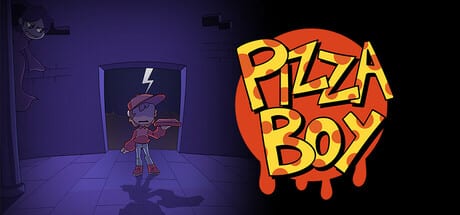
This hub collects the practical pages you open while you play PizzaBoy, not the long story guides. Use it when you need a quick answer before launching the demo, when you are chasing a specific chapter ending, or when you want a clean list of secrets without spoiling every plot beat. Breadless’ precision platformer Metroidvania is light on menus and heavy on movement, so a short toolkit next to the Guides Hub keeps your run focused.
PizzaBoy launches on Steam on August 14, 2026 (app 2238400), with a demo already available on Steam (app 3309890) and itch.io. The game is single-player, fully controller-supported, and currently lists English as the Steam store language. Platforms are Windows and Linux. Nothing here assumes combat builds or multiplayer queues—your job is delivering pizza for Pizza Dawg’s Pizza while monsters try to steal slices, and your tools should match that fantasy.
What you will find under Tools
Start with System Requirements if you are installing for the first time, verifying a laptop can run the demo, or checking Linux notes before you wishlist the full game. The page mirrors the Steam minimum and recommended specs (both are modest: 64-bit OS, i5-class CPU guidance, 4 GB RAM, Intel HD Graphics 5500-class GPU, about 500 MB storage) and adds practical controller and display tips for a precision platformer.
Next, open the Ending Checklist when you care about chapter outcomes and the game’s multiple endings. Steam’s description is clear that how you tackle a level—racing the delivery versus exploring for truth—shapes chapter endings and the finale. The checklist is a spoiler-light tracker: mark whether you stayed on the delivery path, chased secrets, or mixed both, then cross-link to Multiple Endings when you want narrative context.
Use the Collectibles Checklist for Metroidvania-style pickups, memory fragments, and off-path rooms. Pair it with Secrets and Collectibles for how to think about exploration, and with Exploration Priority when you need an order of operations instead of a blank list.
How these tools fit a delivery run
PizzaBoy’s core loop is movement under pressure. Controls on keyboard are MOVE with WASD or Arrows, JUMP with L / Z / Space, DASH with K / X / Shift, RECHARGE DASH with S / Down, and INTERACT with W / Up. Full controller support is listed on Steam, so your “tool” for tough rooms is often rebinding comfort and confirming dash recharge muscle memory. The Air Dash Movement guide explains wall-bounce and height gain; Tools stays at the checklist layer so you can tab out, tick a box, and jump back in.
Protecting the pizza matters as much as reaching the door. Monsters steal slices if you get too close; you cannot fight them. A half-eaten pie means an unhappy customer and a worse star rating. Keep Protect Pizza Delivery and Delivery Star Tips open beside the ending checklist when you are optimizing a five-star clear versus a lore clear.
Suggested order for new players
- Confirm your PC on System Requirements, then follow Getting Started and How to Play the Demo.
- Learn dash recharge timing in Air Dash Movement before chasing every side room.
- On first full chapters after launch, use Exploration Priority to decide whether secrets come before or after a clean delivery.
- Track endings with the Ending Checklist and deeper spoilers via Multiple Endings.
- Sweep leftovers with the Collectibles Checklist and Tough Sections when a route keeps killing your pizza.
Cross-links outside Tools
Characters and company lore live under PizzaBoy Characters Hub, including PizzaBoy, VampireGirl, and Story Lore. Route planning sits in PizzaBoy Routes Hub. Release timing and demo patch notes belong in Updates, especially Release Date and Demo Changelog. For a site-wide map, return to the Wiki overview anytime.
Keeping checklists honest before launch
Because the full game is still upcoming, treat every tracker as living documentation. Demo rooms may shrink, grow, or rename after August 14, 2026. Prefer marking “seen in demo” versus “confirmed in full game” on your personal notes, and re-check Steam app 2238400 plus demo app 3309890 after patches. This hub will stay the index; child pages will absorb patch-specific rows so the homepage and Guides can stay narrative-focused.
If the demo or full build will not open, start with Launch Troubleshooting for WebView2 and nw_elf.dll checklists before you chase movement guides.
If you only bookmark four Tools URLs, make them Launch Troubleshooting, System Requirements, Ending Checklist, and Collectibles Checklist. Everything else on the wiki—guides, routes, characters, updates—feeds those pages when you are mid-delivery and need a fast, factual answer.
Frequently Asked Questions
Quick answers to the most common questions.
What belongs in Tools versus Guides?
Tools are short checklists and specs you tick while playing. Guides explain how to play, dash, protect pizza, and understand endings in prose.
Does PizzaBoy need a high-end PC?
Steam lists modest Windows and Linux requirements (about 4 GB RAM and 500 MB storage). See the System Requirements page for the full table.
Are ending and collectible lists spoiler-heavy?
Checklists stay as spoiler-light as possible. Open Multiple Endings or Secrets guides when you want story context.
Is the demo useful before the August 14, 2026 release?
Yes. The Steam and itch demos are the best way to test controls, dash recharge, and pizza protection before launch.